Back-to-School Student Desk Setup: What to Buy, Arrange, and Skip
Key Takeaways
- A practical student desk needs open space, suitable lighting, accessible supplies, and device-compatible charging; avoid overbuying.
- Prioritize items for confirmed tasks/devices; delay accessories dependent on room dimensions or unestablished habits.
- Keep desk clear for laptop, notebook, and work. Use vertical storage/compact organizers; skip oversized mats/multiple trays.
- Choose a compact, adjustable desk lamp for task lighting without glare; verify housing rules for lamps and power accessories.
- Basic supplies include one notebook, planner, pens, highlighters, folder, and small organizer. Avoid large stationery bundles.
- Add laptop accessories like a mouse or USB hub only if solving a confirmed problem; organize chargers with ties/clips based on needs.

A practical student desk setup needs four things: enough open space to work, suitable lighting, easy access to the supplies used every week, and a charging setup that fits the devices they already own. It does not need to copy a fully equipped home office or a desk-setup video.
The right setup depends on the available space, coursework, devices, and daily study routine. A student using a small dorm desk may only need a lamp, notebook, charger, and compact organizer, while an online, creative, or technical student may also benefit from headphones, a mouse, a USB hub, or external storage.
This guide explains what to buy before classes, how to arrange a functional study space, which upgrades are worth adding after the routine becomes clear, and which desk accessories students can usually skip.
Start With the Tasks Your Desk Needs to Support
Before shopping for desk accessories, list the tasks that regularly happen at your workspace.
A student desk may need to support:
- Reading and handwritten notes
- Writing assignments
- Online classes and video calls
- Research and spreadsheet work
- Programming
- Drawing, editing, or design
- Charging a laptop, phone, tablet, or earbuds
- Organizing papers and course materials
The right setup depends on the work.
A student who mainly reads, types, and takes notes may only need a laptop, notebook, lamp, charger, and small stationery holder. A design, engineering, or media student may benefit from a mouse, external storage, required adapters, or another input device. A student who studies mostly in libraries may need fewer permanent desk accessories and a better portable system instead.
Ask these questions before buying anything:
- What work will I do at this desk each week?
- Which devices will stay on the desk?
- How much usable surface area is available?
- Where are the nearest outlets?
- Which supplies and accessories do I already own?
Buy first
Purchase items required by confirmed classes, devices, or daily study tasks.
Wait
Delay accessories that depend on room dimensions, outlet locations, software requirements, or habits you have not established yet.
Common mistake
Building a full desktop-style workstation before seeing the room or knowing how often it will actually be used.
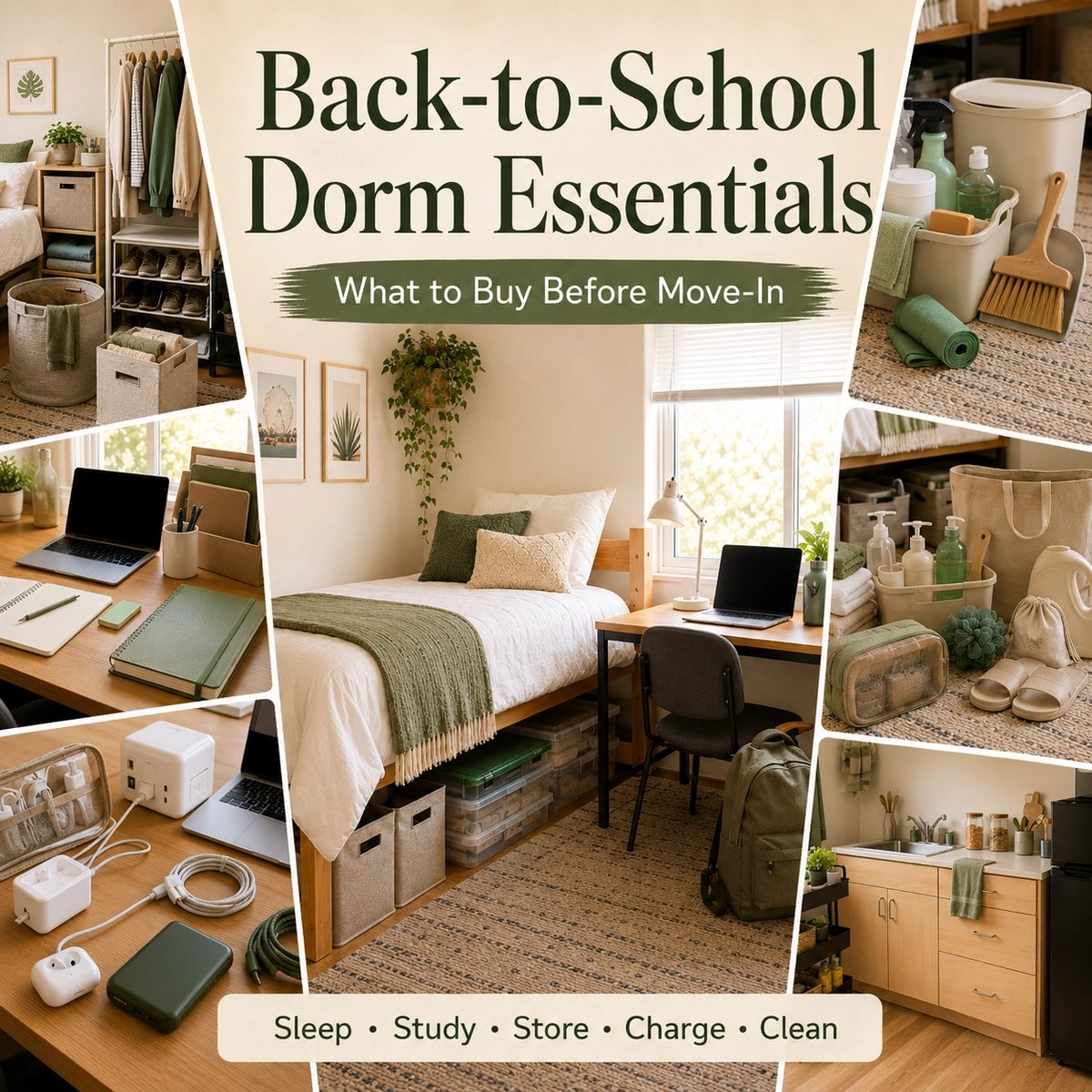
Students who are still planning the rest of their room can use the Back-to-School Dorm Essentials Checklist to separate immediate move-in needs from purchases that can wait.
Leave Enough Open Space to Study
A desk stops being useful when every part of the surface is occupied.
Keep enough open space for:
- A laptop or tablet
- An open notebook or textbook
- A drink
- One current assignment
- The tools required for the task
The goal is not to display every school supply at once. Pens, cables, notebooks, chargers, and documents can remain nearby without permanently occupying the center of the desk.

A practical reset rule is simple: at the end of a study session, the desk should be easy to return to a clear working surface within a few minutes.
That may mean using one pen holder instead of several containers, storing notebooks vertically, and moving rarely used supplies into a drawer, shelf, or nearby bin.
Useful for a small desk
- One vertical file or notebook holder
- One compact stationery cup
- A shallow tray for small items
- A compact adjustable lamp
- Cable clips placed near the desk edge
Consider skipping when space is limited
- Oversized desk mats
- Multiple decorative trays
- Large speakers
- Several display stands
- Organizers designed for items you rarely use
Choose a Desk Lamp for the Room and Study Routine
A desk lamp should improve the usable workspace without consuming too much of it.
Compare:
- Lamp footprint
- Adjustability
- Direction of light
- Glare on the laptop or monitor
- Switch placement
- Cable length
- Available outlet access
Residence-hall or housing restrictions
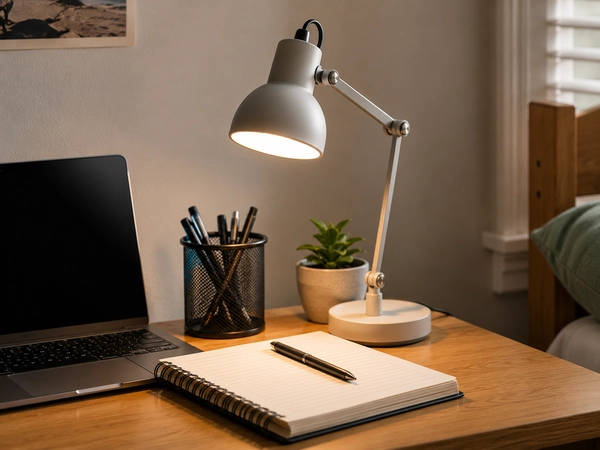
A compact adjustable lamp can improve task lighting without taking over a small desk.
Position the lamp so it lights the notebook or working area without shining directly into your eyes or reflecting strongly on the screen. A compact adjustable lamp is usually easier to adapt than a fixed decorative lamp.
Students using a monitor should consider the monitor, chair, keyboard, mouse, and desk as one setup. Frequently used devices should remain easy to reach, while the screen should be positioned directly in front rather than forcing the student to repeatedly turn or lean.
These principles do not mean every student needs a monitor, laptop stand, or separate keyboard. Someone using a laptop for shorter sessions may be comfortable with the existing setup.
Housing policies also vary. Before buying a lamp, power strip, or extension option, check the school’s residence-hall rules instead of assuming that every electrical product is allowed.
Buy before classes
A basic task lamp when the room does not provide dependable lighting for reading, writing, or computer work.
Add later
A monitor light, secondary lamp, or more adjustable option after identifying a recurring lighting problem.
Skip it if
Natural light and existing room lighting already provide a clear workspace during normal study hours.
Keep School Supplies Simple and Easy to Reach
The best study supplies are the ones that match your real planning and note-taking habits.
A basic set may include:
- One notebook or binder for current work
- A planner or calendar
- Pens and pencils
- One or two highlighters
- Sticky notes or index cards
- A folder or document pouch
A small stationery organizer
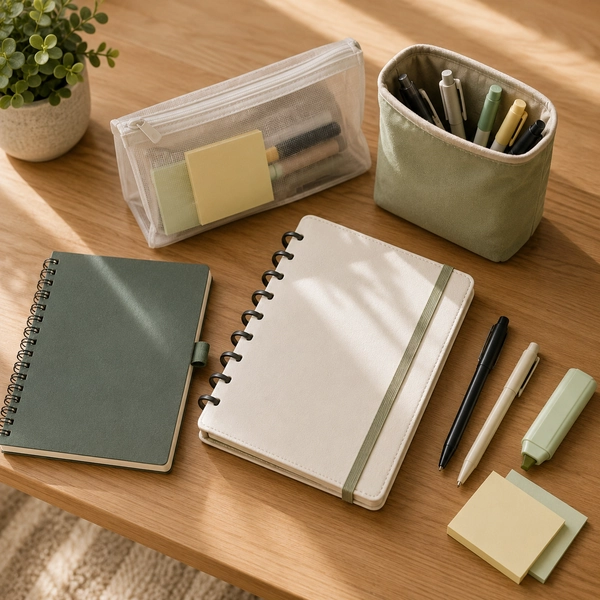
A small set of frequently used stationery is often more practical than a large bundle of supplies.
Do not buy a large stationery bundle only because the price per item appears low. Extra pens, markers, folders, and notebooks still require storage, and many may remain unused.
Start with the format your courses require. Some students prefer separate notebooks for each subject. Others use one binder, refillable pages, or a mostly digital workflow.
Students comparing planners, notebooks, writing tools, and paper organization can explore the Stationery & Notebooks category after deciding which supplies fit their routine.
For notebooks, planners, pens, and stone-paper stationery, students can also review current imSTONE coupons and deals. The store is most relevant to the stationery and planning section of the setup rather than every item on the desk.
For paper-based students
Start with separate notebooks or a binder, a simple planner, a small pen set, highlighters, and a document folder.
For mixed digital and paper workflows
One notebook, a small set of writing tools, a document pouch, and a clear system for storing digital coursework may be enough.
Skip it if
You are buying supplies for imagined projects rather than confirmed classes or established habits.
Add Laptop Accessories Only When They Solve a Confirmed Problem
Laptop accessories can improve a student workspace, but they are also one of the easiest product groups to overbuy.
Consider an accessory only when it solves a repeatable problem.
Mouse
A mouse may be useful for:
- Spreadsheets
- Design and editing
- Programming
- Long navigation sessions
- Software that requires more precise control
It may be unnecessary for students who are comfortable using the trackpad for ordinary coursework.
Laptop stand
A stand may help position the laptop screen higher during longer sessions, but it usually creates a need for an external keyboard and mouse.
Consider one when:
- You regularly study at the same desk
- The laptop screen sits too low for comfortable longer sessions
- There is enough room for separate input devices
Delay or skip it when:
- The desk is very small
- The laptop is moved frequently
- You do not have space for an external keyboard
USB hub or adapter
A hub is useful only when the laptop lacks a connection required by classes, presentations, storage devices, or other equipment.
Check whether you actually need:
- USB-A
- HDMI
- Ethernet
- Memory-card access
- USB-C power delivery
More ports do not automatically make a hub better. Compatibility with the laptop and required devices matters more than the total port count.
External keyboard
An external keyboard can make sense for a permanent setup, particularly when the laptop is raised on a stand.
It may not be worthwhile when the desk cannot comfortably fit both the keyboard and an open notebook.
Webcam or microphone
Use the built-in equipment first. Upgrade only when classes, presentations, recordings, or repeated video calls reveal a real limitation.
Organize Chargers and Cables Without Creating More Clutter
A good cable setup makes devices easier to charge without covering the desk in adapters and cords.
Start with:
- The correct laptop charger
- A phone charger
- Dependable charging cables
- One accessible charging location
- Cable ties or clips
A small pouch for portable cables
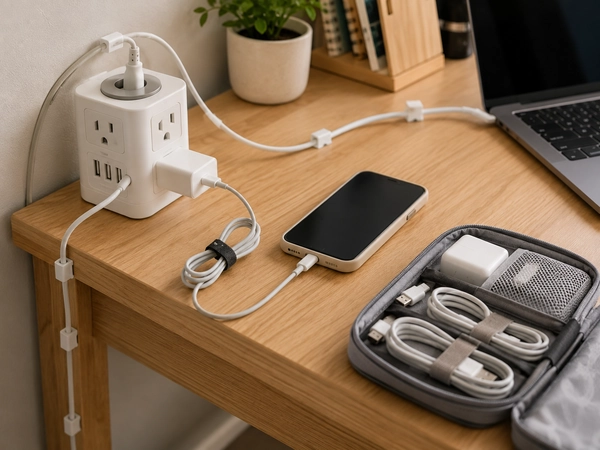
A simple charging setup keeps frequently used cables accessible without covering the desk in cords and adapters.
Place frequently used cables where they can reach devices without running through the center of the work area.
Longer is not always better. An unnecessarily long cable may create additional clutter, while a short cable may not reach the nearest outlet. Check the room layout before ordering several replacement cables.
Before adding a charging station or multi-port charger, confirm:
- Which devices need daily charging
- The connector used by each device
- The power requirements of the laptop and other equipment
- The number and location of available outlets
- Whether the product supports all intended devices
- Whether the product complies with housing rules
For more detailed help comparing chargers, cables, power banks, and compatibility, see Coupinify’s portable charging and smart tech guide.
Buy now
The chargers and cables required by devices you already own.
Add later
A multi-port charger, charging station, or additional power accessory after confirming the room layout and daily routine.
Skip it if
The product introduces another cable or charging system without simplifying an existing problem.
Use Storage That Fits the Desk
Desk storage should keep important items accessible without consuming the workspace it is intended to organize.
Useful options may include:
- A vertical notebook or file holder
- A shallow tray
- A small drawer organizer
- A cable pouch
- A nearby storage cube
- A document folder
- A compact rolling cart when space is confirmed
Vertical storage is often useful because it occupies less surface area than stacking several notebooks flat.
However, do not buy a large cart, shelving unit, or under-desk drawer before seeing the room. Furniture dimensions, walking space, desk placement, outlet access, and roommate arrangements may make the product impractical.
Useful for limited space
One vertical holder, one small container, and a folder for loose documents.
Wait until move-in
Rolling carts, additional shelving, large drawers, and under-desk furniture.
Common mistake
Buying several storage products before knowing what actually needs to be stored.
Student Desk Setups for Different Routines
There is no single desk setup that fits every student.
Dorm resident
Prioritize:
- A compact lamp
- A notebook or planner
- Required chargers
- Basic cable organization
- One small organizer
- Headphones for shared spaces
Wait before buying large storage products or permanent equipment.
Campus commuter
Prioritize:
- A lightweight charger
- A portable cable pouch
- A laptop sleeve
- One notebook or planner
- Desk items that can be packed away easily
A commuter may study in several places and may not benefit from an oversized permanent setup.
Online or hybrid student
Prioritize:
- Dependable audio
- A functional microphone
- Clear desk lighting
- Reliable charging access
- Organized course files
- A webcam only when the built-in option is inadequate
Creative or technical student
Consider:
- A mouse or course-specific input device
- A required hub or adapter
- External storage
- More working surface area
- Course-specific equipment
Confirm software, storage, and connection requirements before buying.
Tablet-first student
Prioritize:
- A stylus when required
- A protective case
- A dependable charging cable
- Note and file synchronization
- A stand or keyboard only when it supports regular work
Do not automatically build a laptop-style accessory system around a tablet unless your workflow requires it.
What to Buy Before Classes Start
The safest early purchases are tied to known needs:
- A basic desk lamp
- A notebook, binder, or planner
- Pens and required supplies
- The correct device chargers
- One dependable cable set
- A folder or document pouch
- A small stationery organizer
- A required laptop adapter
- Headphones when needed for classes or shared spaces
These items support confirmed routines without requiring a fully planned room.
What to Add After the First Few Weeks
Wait until your schedule, room layout, and coursework are clear before deciding on:
- Laptop stand
- External keyboard
- Mouse
- USB hub
- External monitor
- Large desk organizer
- Rolling cart
- Premium desk lamp
- Multi-device charging station
- Webcam
- External storage
- Decorative desk accessories
Waiting helps separate recurring friction from temporary inconvenience.
Desk Accessories Students Can Usually Skip
Some products may look useful in a desk-setup photo but add little practical value.
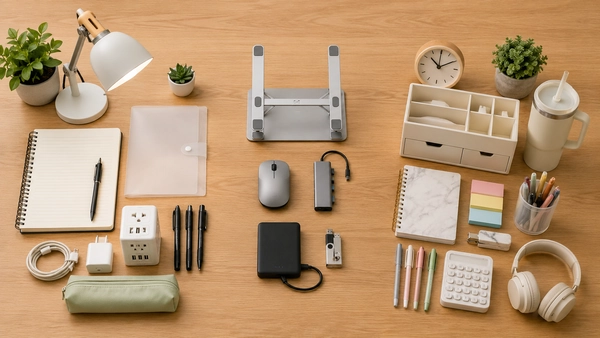
Consider delaying or skipping:
- Duplicate organizers
- Oversized desk mats
- Decorative digital clocks when another device already covers the need
- Multiple lamps
- Large speakers for shared housing
- Charging stations that do not match the device ecosystem
- Monitor risers that leave no room for notebooks
- Large stationery bundles
- Accessory kits containing several irrelevant items
- Extra furniture before room measurements are confirmed
A discount does not make an unnecessary item useful.
How to Compare Back-to-School Desk Deals
Once you know what the desk actually needs, compare the purchase itself.
Check:
- Product dimensions
- Desk footprint
- Device compatibility
- Materials and expected durability
- Included parts
- Cable length
- Power requirements
- Housing restrictions
- Shipping date
- Return window
- Warranty
- Coupon limitations
- Final cart price
Dimensions are especially important for storage products, stands, lamps, and organizers. A lower price does not help when the product consumes too much of a small desk or does not fit the available layout.
For stationery, compare page format, quantity, binding, paper use, and whether the product fits your planning system.
After narrowing the list to items that fit the room and routine, use Coupinify’s Back-to-School deals and student savings page to review relevant offers across school supplies, technology, storage, and dorm essentials.
Quick Student Desk Setup Checklist
Study surface
- Open working area
- Space for a laptop or tablet
- Space for a notebook or textbook
- A layout that can be reset after each session
Lighting
- Compact task lamp
- Adjustable direction
- Limited screen glare
- A design permitted by housing rules
School supplies
- Notebook or binder
- Planner
- Pens and pencils
- Highlighters
- Folder or document pouch
- Small organizer
Technology
- Laptop charger
- Phone charger
- Required cables
- Mouse when useful
- Required hub or adapter
- Headphones when needed
Organization
- Vertical file holder
- Small tray
- Cable clips or ties
- Portable charging pouch
- Additional storage only after measuring
Optional upgrades
- Laptop stand
- External keyboard
- Monitor
- Webcam
- External storage
- Rolling cart
- Additional lighting
Frequently Asked Questions
What does a student desk setup actually need?
Most students need a clear work surface, suitable lighting, basic stationery, dependable charging, and easy access to the tools used each week. Laptop stands, keyboards, monitors, hubs, and additional storage depend on the student’s coursework, devices, and available space.
Should students buy a laptop stand?
A laptop stand may be useful for longer sessions at a permanent desk, particularly when paired with an external keyboard and mouse. It may be unnecessary for students who move the laptop frequently or have very limited desk space.
Is a USB hub necessary for college?
Only when the laptop lacks a port required for coursework, presentations, storage, or other equipment. Check the exact connections needed before buying one.
What should students wait to buy until move-in?
Large organizers, rolling carts, external monitors, desk furniture, extra lighting, and permanent charging stations are easier to evaluate after seeing the desk dimensions, outlet locations, and room layout.
How can a small dorm desk stay organized?
Keep the center clear, store notebooks vertically, limit supplies to items used regularly, control cables near the desk edge, and move rarely used products into nearby storage.
Final Takeaway
A practical student desk begins with the work that needs to happen there.
Start with enough light, open desk space, basic study supplies, and the chargers required by devices you already own. Add laptop accessories only when they solve a confirmed problem. Wait before buying large storage products, permanent equipment, or decorative extras.
The best setup is not the one with the most accessories. It is the one that can be used, cleared, and used again without getting in the way of studying.