Best Portable Charging Devices & Smart Tech Essentials for 2026
Key Takeaways
- Portable tech is essential for remote work, travel, and daily commuting, supporting devices like laptops, smartphones, and earbuds.
- Power banks recharge devices, varying in capacity and speed. MOVESPEED offers compact, high-capacity solutions for everyday use.
- Fast charging accessories, like those from Futurizta Tech, reduce charging time when supported by compatible devices, prioritizing portability.
- Smart tracking devices, such as Seinxon's, help locate personal belongings, popular for travelers and those with multiple gadgets.
- Choose based on use: compact power banks for travelers, high-capacity for remote workers, smaller for commuters, or trackers for security.
- Evaluate device count, fast charging needs, total battery capacity, and portability versus power trade-offs before purchase.
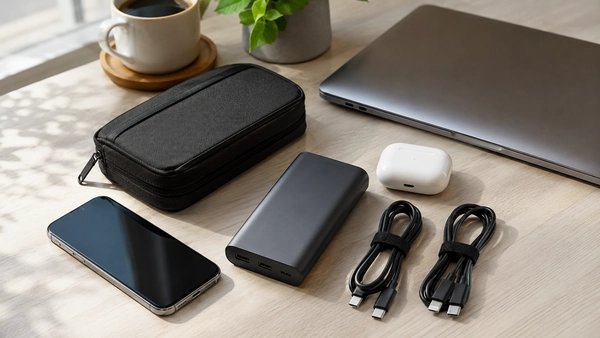
The best portable tech setup is usually not the one with the largest power bank or the most accessories. For most people, it starts with one compatible charger, the correct cables, and only then a power bank, tracker, travel adapter, or portable storage device when the routine actually requires it.
That order matters because portable accessories work as a system. A high-output charger cannot deliver its full potential through an unsuitable cable, and a large power bank may still be unable to charge a laptop that requires more power than the battery can provide. Buying each item separately without checking compatibility often leads to slower charging, duplicate gear, and products that remain unused.
This guide explains how to build a practical portable tech kit for commuting, travel, remote work, school, and data-heavy workflows. It also separates the items worth buying now from upgrades that can wait and accessories that many people can skip.
Start With the Devices and Routine You Already Have
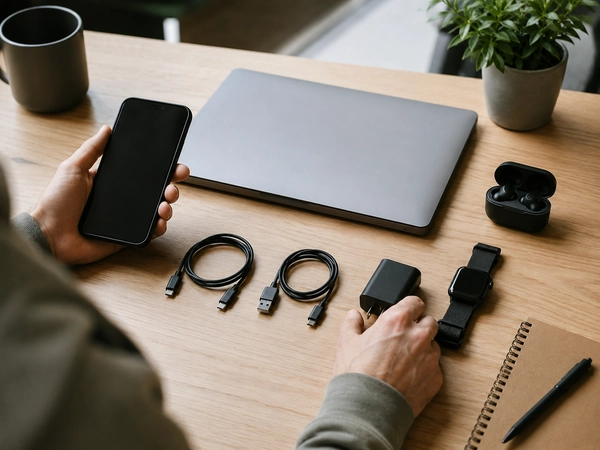
Before comparing portable chargers or smart accessories, list the devices you regularly carry and the situations in which they need support.
Your list may include:
- A phone
- A laptop
- A tablet or e-reader
- Wireless earbuds or headphones
- A smartwatch
- A camera or handheld gaming device
- A portable storage drive
- A backpack, wallet, keys, or equipment case you may want to track
Then check the practical details:
- Which connector does each device use?
- How much charging power does the laptop or tablet require?
- How many hours do you usually spend away from an outlet?
- Do several devices need charging at the same time?
- Do you travel internationally?
- Which belongings are frequently misplaced?
- Do you work with files that need local backup or transfer?
A commuter who carries only a phone and earbuds may need a compact wall charger, one cable, and a small power bank. A photographer traveling with a laptop, camera, phone, and portable SSD may need a higher-output charger, several verified cables, backup power, storage, and better organization.
Core
Items required to charge and use the devices you already carry.
Conditional
Accessories that solve a recurring problem, such as spending a full day away from outlets or carrying equipment that is difficult to replace.
Usually unnecessary
Products bought because they appear advanced, have unusually high specifications, or are included in a discounted bundle without supporting a real use case.
For broader category discovery, Coupinify organizes chargers, power banks, accessories, trackers, and related devices under Electronics.
Quick Picks: The Best Portable Tech Setup by Use Case
Instead of choosing one “best” product for everyone, build the smallest setup that covers the routine.
| Use case | Core setup | Conditional additions |
|---|---|---|
| Daily commuter | Compact charger and one dependable cable | Small power bank and cable pouch |
| Laptop user | Compatible USB-C charger and properly rated cable | Laptop-capable power bank and compact hub |
| Multi-device traveler | Multi-port charger and labeled cables | Travel adapter, power bank, and tracker |
| Student | Laptop charger, phone cable, and organized pouch | Power bank, tracker, or required adapter |
| Remote worker | Laptop charger and phone charging setup | Backup power, hub, and wired connection options |
| Creative or technical user | Higher-output charger and verified cables | Portable SSD, additional ports, and backup power |
| Item recovery | Existing phone ecosystem | Compatible tracker for keys, bag, wallet, or luggage |
The conditional column is important. A power bank, tracker, or storage drive can be highly useful for one routine and unnecessary for another.
Build the Charging Core First
A reliable portable setup begins with three components:
- A wall charger that can support the intended devices
- Cables with the correct connectors and capabilities
- A power bank only when backup charging away from outlets is necessary
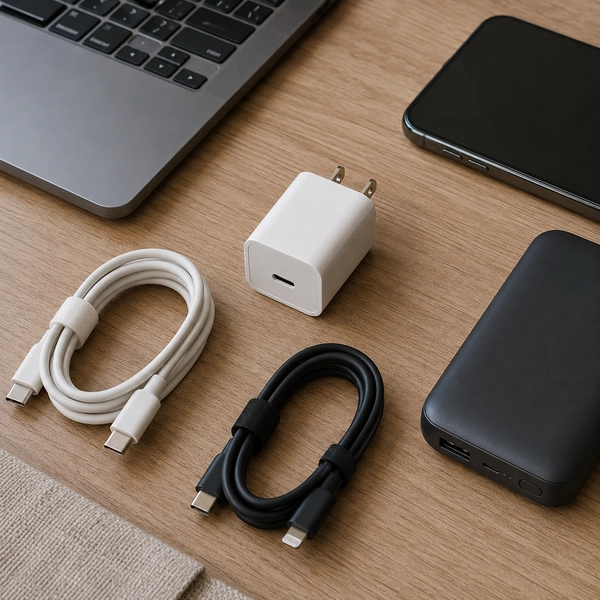
Coupinify’s Charging & Power Solutions category covers wall chargers, portable chargers, power banks, cables, adapters, and related charging products. Use it to compare the product type after determining what the setup needs.
Choose the wall charger by device requirements
Start with the most demanding device in the kit. A phone-only setup generally requires less output than a laptop-and-tablet setup.
Check:
- The maximum input supported by the device
- Whether the laptop supports charging through USB-C
- The output available from each charger port
- How power is divided when several ports are used
- Whether the charger includes a suitable cable
- Whether a compact single-port or multi-port design better fits the routine
A multi-port charger can reduce the number of charging bricks in a bag, but the advertised total output may be shared across ports. Review the per-port and multi-device output rather than relying only on the largest number printed on the product page.
Use cables that match the intended job
Two cables with the same connector can support different charging and data capabilities.
Check:
- Connector type at both ends
- Supported charging power
- Required data-transfer capability
- Length
- Build quality and strain relief
- Certification or clear manufacturer specifications
USB-IF’s current cable certification program includes power-capability markings such as 60W or 240W for supported certified USB-C cables. Those markings can make it easier to distinguish cable capability, although exact device and charger compatibility must still be confirmed. See the official USB-IF cable and connector guidance for technical details.
Add a power bank when outlets are not dependable
A power bank is useful when the device regularly runs low before the next reliable charging opportunity.
Common use cases include:
- Long commutes
- Flights and airport connections
- Conferences or events
- Full days on campus
- Field work
- Outdoor activities
- Backup power during local outages
Do not select one only by choosing the largest capacity available. Larger batteries add weight and may take longer to recharge. The better fit is the smallest power bank that provides enough usable backup for the devices and schedule.
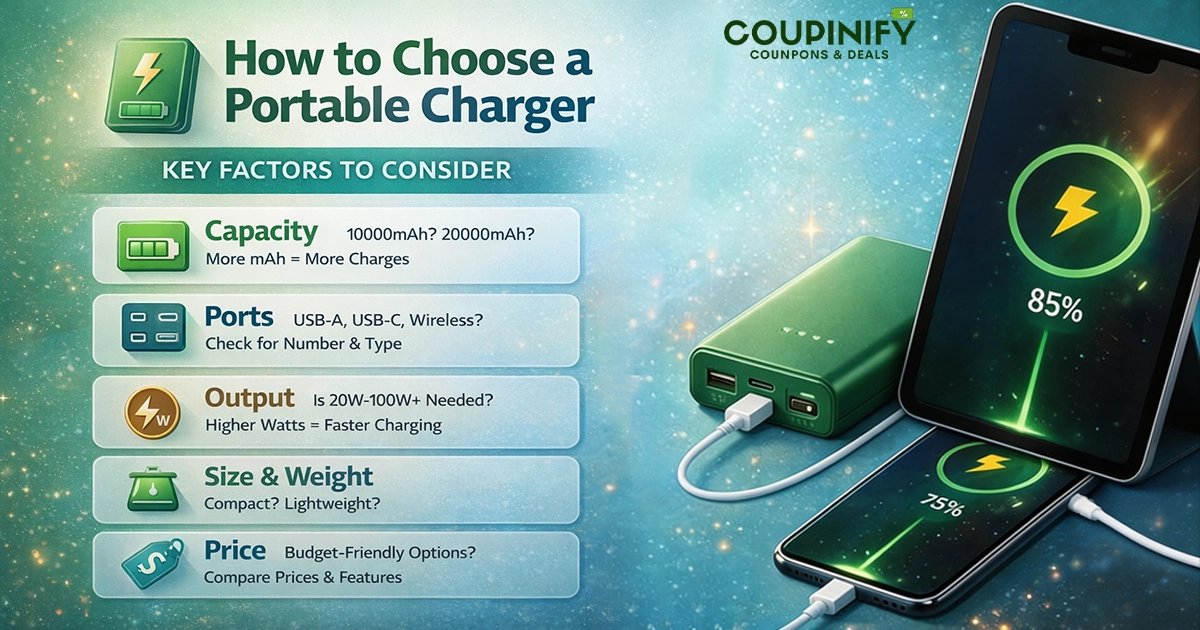
For category-level options, review Portable Chargers. For more detailed selection criteria, use the guide on how to choose a portable charger.
Make the Charger, Cable, and Device Work as One System
Charging performance depends on the complete compatibility chain:
Device requirement → charger output → cable capability → port configuration → power-bank capability
A mismatch anywhere in that chain can reduce charging speed or prevent the setup from working as expected.
Device requirement
Check the official device specifications or original charger. Determine whether the device supports USB Power Delivery, another fast-charging standard, or only basic charging.
Charger output
Confirm the output of the exact port you plan to use. Multi-port chargers may provide different maximum output depending on how many devices are connected.
Cable capability
The cable must support the required connector, charging power, and any data function you expect it to perform.
Port configuration
Using several ports at once may change the power distributed to each device. A charger that can power a laptop through one port may provide less output to that port when a phone or tablet is connected simultaneously.
Power-bank capability
A phone-oriented power bank may have enough capacity for many phone recharges but still lack the output needed to charge a laptop effectively.
For a deeper explanation of charging speeds, device support, and why the fastest advertised number does not always determine real-world performance, read Fast Charging vs. Standard Charging.
Choose a Power Bank Format That Fits the Routine
Power banks come in several formats, and the most useful option depends on what needs charging and how the battery will be carried.
Pocket-size phone power bank
Suitable for people who need one partial or full phone recharge without carrying much additional weight.
Useful for:
- Short commutes
- Concerts or events
- Daily emergency backup
- Small bags
Laptop-capable power bank
Useful when a compatible laptop must remain powered during long travel days, field work, or unreliable access to outlets.
Confirm:
- USB-C charging support on the laptop
- Power-bank output
- Cable capability
- Battery watt-hours
- Weight and dimensions
- Travel restrictions
Magnetic or wireless power bank
Convenient for compatible phones when cable-free attachment matters more than maximum efficiency or charging speed.
It may be less useful when:
- The phone or case is not compatible
- Heat or charging efficiency is a concern
- The power bank will also need to charge other devices
Power bank with built-in cable
A built-in cable can reduce the number of loose items in a bag, but it also creates a fixed dependency. Confirm the connector fits current devices and consider what happens if the integrated cable becomes damaged.
Multi-device power bank
Useful for shared travel or people carrying several devices, but check how output is divided when multiple ports are active.
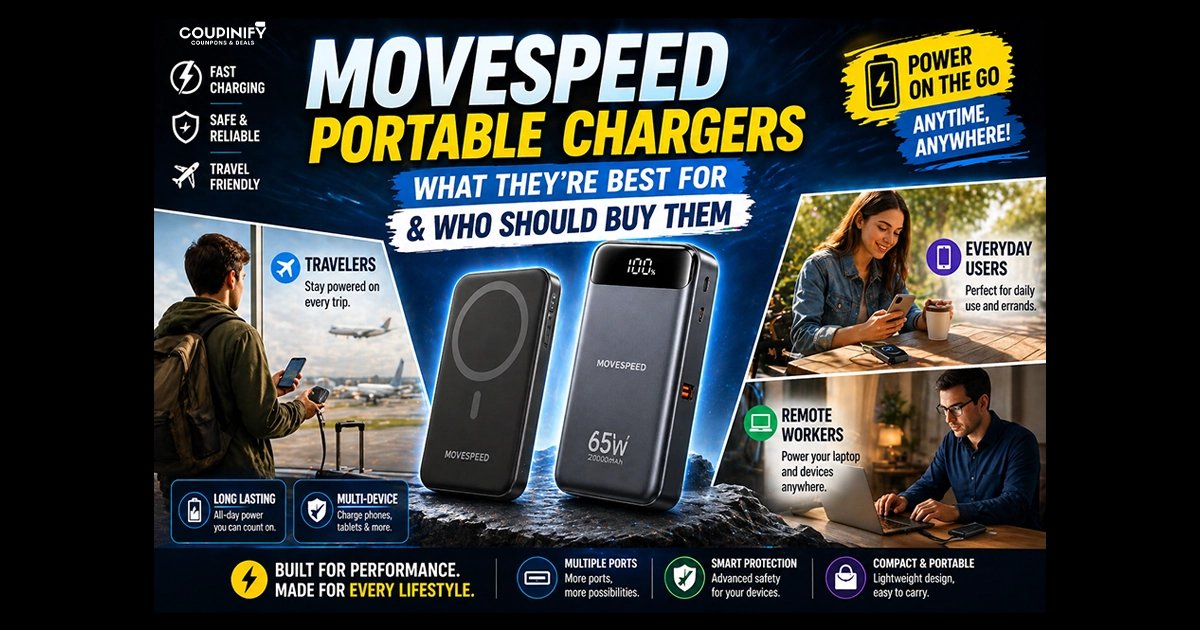
MOVESPEED currently supports Coupinify’s charging and portable-technology cluster. After deciding which format fits the routine, review current MOVESPEED coupons and deals for relevant power banks, charging accessories, cables, and portable storage.
Add International Travel Gear Only When It Is Needed
International travel may add three separate requirements:
- A compatible charger
- A plug adapter for the destination
- A power bank that complies with airline rules
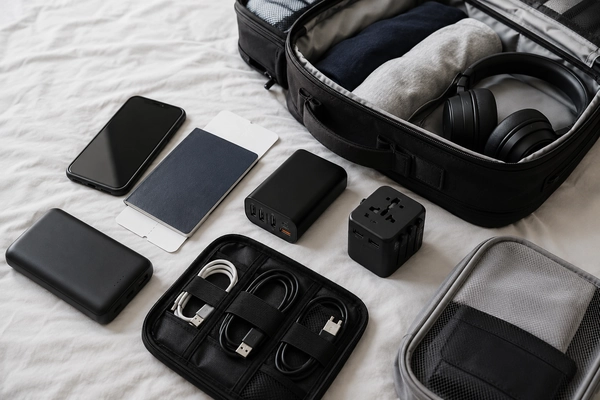
A plug adapter changes the physical plug connection. It does not automatically make every device compatible with every local electrical system. Check the input specifications printed on the charger or provided by the manufacturer.
Check battery watt-hours before flying
Under current FAA guidance, spare lithium batteries and power banks must remain in carry-on baggage rather than checked baggage. Batteries up to 100 watt-hours are generally allowed for passenger use, while batteries from 101 to 160 watt-hours require airline approval. Batteries above 160 watt-hours are generally prohibited on passenger aircraft.
Review the official FAA PackSafe battery guidance and the policy of the operating airline before travel. Airline and country-specific requirements can differ.
Do not overbuild a travel kit
A short domestic trip may only require a normal charger and cable. An international work trip with several devices may justify a multi-port charger, destination adapter, power bank, and organized pouch.
Futurizta Tech may be relevant when the routine specifically requires compact chargers, multi-port charging, travel-oriented cables, or related accessories. Current offers can be reviewed through the Futurizta Tech coupon page after compatibility requirements are clear.
Use a Smart Tracker for Item Recovery, Not as a Security Guarantee
A smart tracker can become part of a portable tech kit when it helps locate something that is frequently carried and difficult to replace.
Common placements include:
- Keys
- Backpack
- Wallet
- Luggage
- Camera or equipment case
- Travel document pouch
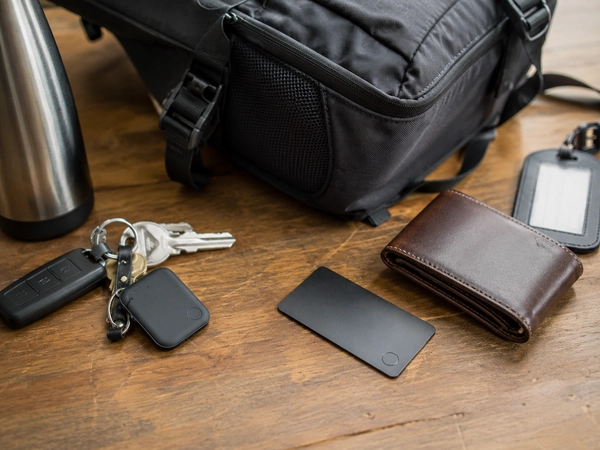
Before buying, check:
- Phone and operating-system compatibility
- The finding network used by the exact product
- Nearby-finding features
- Battery type and expected replacement process
- Tracker size and attachment format
- Whether a card or tag shape better fits the item
Apple supports AirTag and compatible third-party items through Find My, while Google supports compatible tracker tags and accessories through Find Hub. Compatibility is product-specific, so confirm the exact model and supported network rather than assuming every tracker works with both ecosystems. Official information is available from Apple Find My Support and Google Find Hub Help.
A tracker is an item-finding tool. It does not guarantee theft prevention, constant real-time tracking, or recovery in every environment.
To understand the technology before comparing models, read What Are Smart Tracking Devices and How Do They Work?. For a deeper comparison of formats and use cases, use the Best Smart Trackers for Travel guide or explore Coupinify’s Smart Trackers category.
Seinxon is relevant when a card-shaped or key-style tracker fits the carry system. Current offers can be checked through the Seinxon coupons page after confirming phone compatibility and tracker format.
Consider Portable Storage Only for Data-Heavy Workflows
Portable storage is useful when local file access, transfer speed, or offline backup matters.
It may be valuable for:
- Photography and video projects
- Large design files
- Technical coursework
- Field data
- Offline backups
- Moving files between devices
- Devices with limited internal storage
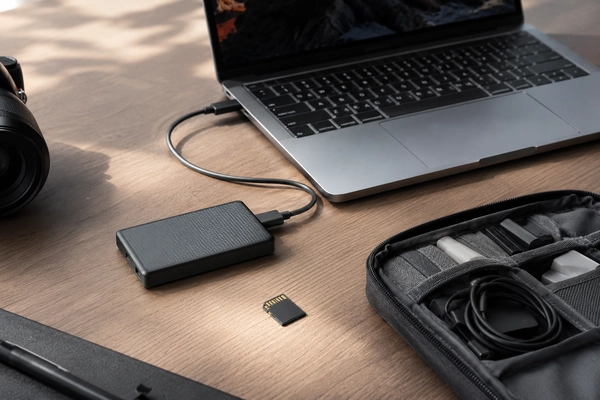
Before buying a portable SSD or other external storage, check:
- Required capacity
- Supported connection and transfer speed
- Device and operating-system compatibility
- Whether a separate cable or adapter is needed
- Physical size and durability
- Encryption or security requirements
- Backup strategy
Portable storage may be unnecessary when cloud synchronization, internal storage, and an existing backup system already meet the workflow.
Do not treat a single external drive as the only copy of important work. Portable storage is most useful as part of a broader file-management and backup process.
Portable Tech Kits for Different Routines
Daily commuter
Prioritize:
- Compact wall charger
- One dependable primary cable
- Small backup cable when justified
- Compact power bank for long days
- Simple cable pouch
A large laptop battery, international adapter, or multiple trackers may be unnecessary for a basic daily commute.
Frequent traveler
Prioritize:
- Multi-port charger
- Clearly identified cables
- Power bank within airline limits
- Destination plug adapter when required
- Tracker for luggage, keys, or document pouch
- Compact organizer
Remote or hybrid worker
Prioritize:
- Compatible laptop charger
- Phone charging cable
- Optional backup power
- Hub or adapter only for required connections
- Portable storage when local files are important
A second full charging setup may be useful when the user repeatedly works between two fixed locations, but duplicate accessories should still have a clear purpose.
Student
Prioritize:
- Original or compatible laptop charger
- Phone charger
- Dependable cables
- Compact pouch
- Power bank when campus days regularly exceed battery life
- Tracker when a bag, keys, or wallet is frequently carried
Students building a permanent study area can use the Back-to-School Student Desk Setup guide to separate desk equipment from portable gear. Current seasonal offers are available through Coupinify’s Back-to-School deals and student savings page.
Creative or technical user
Prioritize:
- Higher-output compatible charger
- Verified USB-C cables
- Laptop-capable power bank when needed
- Portable SSD
- Required hub or adapter
- Separate backup strategy
Do not assume that every USB-C accessory supports the required charging power, display output, or transfer speed.
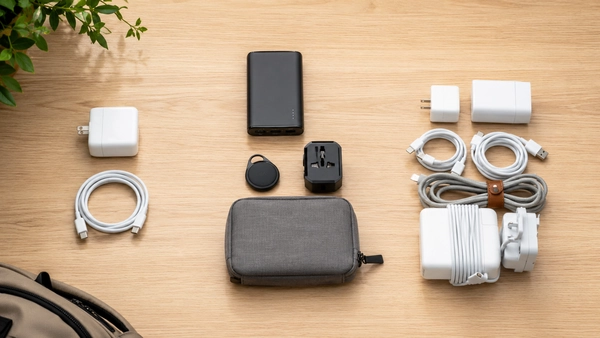
What to Buy Now, Add Later, or Skip
Buy now
- The correct charger for the main device
- One dependable primary cable
- A required adapter for confirmed equipment
- A protective pouch when cables and accessories are carried daily
Add later
- Power bank after identifying a recurring battery shortfall
- Multi-port charger after confirming the number of simultaneous devices
- Travel adapter before a relevant international trip
- Smart tracker for frequently carried valuables
- Portable SSD for data-heavy or offline workflows
- Hub after identifying a missing port
Usually skip
- Oversized power capacity without a routine that requires it
- Duplicate chargers with no assigned location or purpose
- Cables with unclear charging or data capability
- Multiple tracker formats for items rarely carried
- Large accessory bundles containing irrelevant products
- Travel adapters purchased without checking the destination
- Portable storage without a backup or file-management plan
- Products purchased only because the discount appears unusually large
How to Compare Portable Tech Deals
Once the required product type and compatibility are clear, evaluate the offer itself.
Check:
- The exact model and product variant
- Device compatibility
- Output per port
- Shared power distribution
- Cable capability
- Battery capacity and watt-hours
- Dimensions and weight
- Included accessories
- Manufacturer and seller
- Warranty
- Return window
- Shipping date
- Coupon exclusions
- Final cart price
Check recall status and physical condition
Battery safety should not be evaluated only through marketing claims. The U.S. Consumer Product Safety Commission continues to publish recalls involving portable batteries and chargers because of overheating, fire, and burn hazards.
Before continued use, inspect a battery product for:
- Swelling
- Unusual heat
- Cracks or impact damage
- Burning smell
- Damaged ports
- Unexpected shutdowns
- A model number included in an official recall
Use the official CPSC recalls database and manufacturer notices when checking a specific product. Stop using a damaged or recalled battery product and follow the official remedy instructions.
Compare value, not only the discount percentage
A smaller discount on the correct charger may provide more value than a larger discount on a product that is too heavy, incompatible, or unnecessary.
Ask:
- Does this product solve a recurring problem?
- Does it work with the devices and cables already owned?
- Will it replace another item or create more clutter?
- Is the exact model included in the promotion?
- Is the final price competitive after shipping and restrictions?
Quick Portable Tech Checklist
Devices
- List the phone, laptop, tablet, earbuds, watch, camera, and other devices carried regularly
- Confirm connector types
- Check official charging requirements
Charging
- Choose a charger with suitable output
- Check per-port and shared output
- Confirm USB-C or other fast-charging support
Cables
- Use the correct connectors
- Confirm charging capability
- Confirm data or display support when required
- Choose a practical length
Backup power
- Estimate time away from outlets
- Choose enough usable capacity without unnecessary weight
- Confirm output for the intended device
- Check battery watt-hours for travel
Travel
- Check destination plug type
- Review device input specifications
- Keep power banks in carry-on baggage
- Confirm airline restrictions
Item recovery
- Choose a tracker compatible with the phone ecosystem
- Match the tracker shape to the item
- Understand that tracking does not guarantee theft prevention
Storage
- Estimate required capacity
- Confirm device compatibility
- Use storage as part of a broader backup plan
Safety and deal terms
- Check manufacturer and seller information
- Review recall status
- Inspect battery condition
- Read warranty and return terms
- Confirm the exact product variant
- Compare the final cart price
Frequently Asked Questions
Do I need both a wall charger and a power bank?
A wall charger is the primary way to recharge devices when an outlet is available. A power bank is additional backup for periods away from outlets. People who rarely run low outside the home or office may not need a power bank.
How do I know whether a power bank can charge my laptop?
Confirm that the laptop supports charging through the intended port, then compare its power requirement with the power bank’s output. The cable must also support the required power. Capacity alone does not determine whether a battery can charge a laptop effectively.
Does every USB-C cable support the same charging speed?
No. USB-C describes the connector shape, but cables can support different charging power, data speeds, and display functions. Check the cable specifications and required capability for the device.
Can power banks go in checked baggage?
Under current FAA rules, spare lithium batteries and power banks must remain in carry-on baggage. Review the power bank’s watt-hours and the operating airline’s policy before travel.
Are smart trackers useful for travel and commuting?
They can be useful for locating frequently carried items such as keys, backpacks, wallets, luggage, or equipment cases. Their usefulness depends on phone compatibility, the finding network, tracker format, and the environment. They are not a guarantee against theft or loss.
When is a portable SSD worth carrying?
A portable SSD may be worthwhile for large creative projects, technical files, fast transfers, offline backups, or devices with limited storage. It may be unnecessary when internal storage and cloud synchronization already meet the workflow.
Final Takeaway
A practical portable tech kit begins with the devices and routine, not a list of trending accessories.
Start with one suitable charger and the correct cables. Add a power bank when time away from outlets creates a recurring battery problem. Add a tracker when an important item is frequently carried, and add portable storage when the workflow requires local files or backup.
The best setup is the smallest one that reliably keeps the necessary devices powered, connected, organized, and recoverable without adding incompatible products or unnecessary weight.