Headphones vs. Earbuds for Students: Which Fits Study and Campus Life?
Key Takeaways
- Headphones suit long desk study, online classes, and shared dorms due to comfort. Earbuds excel for walking, short sessions, and small bags due to portability.
- Comfort is key for audio devices; factors like fit, clamping pressure, heat, and ear-tip size matter more than format alone for student use.
- For online classes, a reliable microphone, stable connection, and testing on platforms like Microsoft Teams or Zoom are crucial for students.
- Wired audio offers no charging/pairing issues and is a reliable backup. Wireless provides freedom but requires charging and can have connection problems.
- Students should choose based on their actual routine. Buy one device that fits primary needs; add features like Active Noise Cancellation later if a recurring problem arises.
- World Health Organization (WHO) advises keeping volume below 60%, taking breaks, and using well-fitted devices to avoid raising volume in noisy areas.
Students often compare headphones and earbuds as if one format must be better in every situation. In practice, the better choice depends on where the student listens, how long each session lasts, how often they move between locations, and whether the same device must handle music, recorded lectures, video calls, commuting, and shared living spaces.
A student who studies for several hours at a desk may value a comfortable over-ear fit and simple controls. A commuter moving between buses, classrooms, and the library may care more about compact storage and fast access. Someone attending online classes may need a dependable microphone and a connection that works every time, even if the audio device is not the most portable option.
This guide compares headphones and earbuds by real student use cases rather than treating specifications as the decision. It also explains what to buy now, what can wait, and which features may add cost without solving a recurring problem.
Quick Answer: Headphones or Earbuds?
| Student use case | Better starting point | Why |
|---|---|---|
| Long desk-based study sessions | Headphones | Larger ear cups may be easier to tolerate for extended sessions if the fit and clamping pressure are comfortable. |
| Walking between classes | Earbuds | Easier to store, lighter to carry, and quicker to use without a large case. |
| Library or quiet study room | Either | Fit, volume control, sound leakage, and awareness of the environment matter more than format alone. |
| Online classes from one desk | Headphones or a wired headset | A stable connection and tested microphone may matter more than portability. |
| Public transport commute | Earbuds for portability; headphones for longer rides | Choose based on bag space, comfort, noise control, and how often the device must be removed. |
| Shared dorm room | Headphones | They may be more comfortable for longer private listening, but heat and storage space should be considered. |
| Small bag or minimal everyday carry | Earbuds | The charging case normally occupies less space than a full-size headphone case. |
| Student who forgets to charge devices | Wired headphones or wired earbuds | No separate audio battery is required. |
| One device for calls, lectures, and music | Either | Test the microphone, controls, connection, and fit with the actual phone or laptop. |
The table is a starting point, not a rule. A well-fitting pair of earbuds can be more comfortable than poorly fitted headphones, and compact headphones can be easier to carry than some oversized earbud cases and accessories.
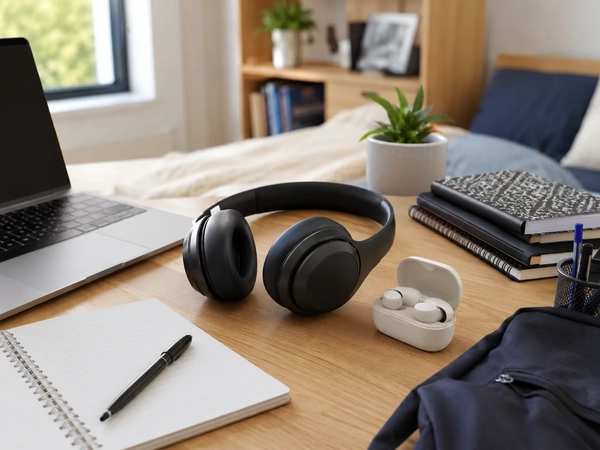
Start With the Student’s Actual Routine
Before comparing features, write down where and how the audio device will be used during a normal week.
Questions to answer include:
- Will most listening happen at a desk, in a library, on public transport, or while walking?
- Are sessions usually 20 minutes or several hours?
- Does the device need to work with a phone, laptop, tablet, or several devices?
- Are online classes or group calls part of the routine?
- Is there enough bag space for a headphone case?
- Is the student comfortable wearing in-ear tips?
- Does the student often forget to charge accessories?
- Is environmental awareness important while walking or commuting?
- Will the audio device be shared between study, entertainment, gaming, and exercise?
This routine audit prevents a common purchasing mistake: paying for a feature that looks useful on a product page but rarely matters during the student’s day.
For broader technology planning, Coupinify groups current device and accessory offers under Electronics . Students comparing personal audio formats can also review the Headphones, Earphones and Speakers category after deciding which format fits their routine.
Headphones: Best for Longer, More Stationary Sessions
Headphones sit on or around the ears rather than inside the ear canal. The larger design creates room for bigger ear pads, physical controls, and—in wireless models—a larger battery. Those advantages can be useful, but they also add bulk.
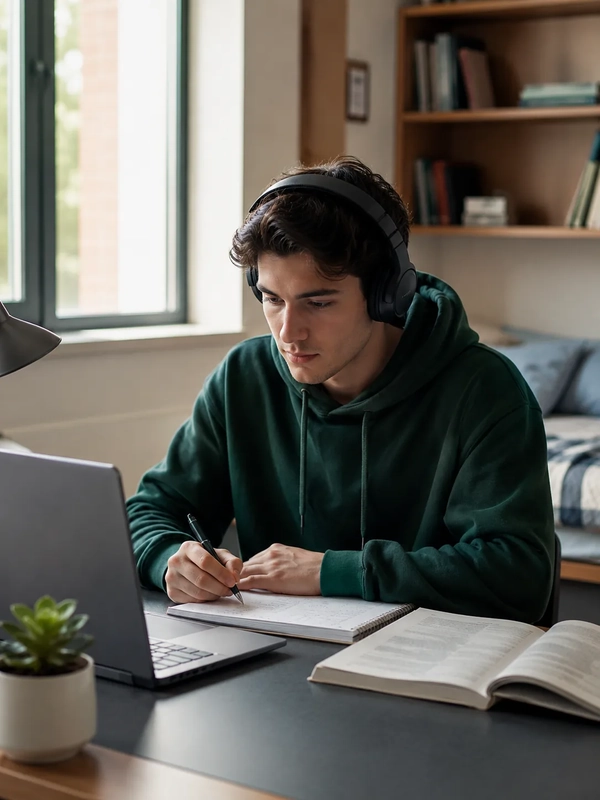
Where headphones tend to work well
Headphones are often a practical fit for:
- Long study sessions at a desk
- Recorded lectures and coursework at home
- Online classes from a fixed workspace
- Shared dorm rooms where private listening is needed
- Students who dislike the feel of in-ear tips
- Longer train, bus, or flight journeys
- Users who prefer larger, easier-to-find controls
What to check before buying headphones
Fit and clamping pressure
Head shape, glasses, ear size, headband adjustment, and pad material can change comfort significantly. A model that feels secure for 10 minutes may feel too tight during a two-hour study session.
Heat
Over-ear pads can become warm during long sessions, especially in hot rooms or when the student moves between indoor and outdoor spaces.
Weight
A heavier model may feel stable but can create pressure around the head or neck over time. Weight distribution matters as much as the number shown in the specifications.
Storage
Check whether the ear cups fold, rotate flat, or require a full-size case. A student carrying a small backpack may find storage more important than a minor sound-quality difference.
Cable and port requirements
Some wireless headphones can also work through a cable, but the exact cable, connector, and supported functions vary. Do not assume a cable is included or that the microphone works in wired mode.
Skip headphones if
- The student strongly prioritizes pocket-size carry.
- The bag does not have a safe place for them.
- Heat or headband pressure regularly causes discomfort.
- The device must be removed and stored repeatedly throughout the day.
- The student mainly needs audio for short walks and quick listening sessions.
Earbuds: Best for Portability and Frequent Movement
Earbuds fit inside or near the ear canal and usually store in a small charging case. Their compact size makes them convenient for students moving between classrooms, libraries, work shifts, and public transport.

Where earbuds tend to work well
Earbuds are often a practical fit for:
- Walking between classes
- Short study sessions in different locations
- Public transport and daily commuting
- Small bags and minimal everyday carry
- Students who frequently switch between listening and conversation
- Phone-based calls and voice notes
- Light exercise, when the exact model is designed to stay secure and handle moisture appropriately
What to check before buying earbuds
Tip fit and seal
The correct tip size affects comfort, stability, perceived sound, and how much outside noise enters. One ear may need a different tip size from the other.
Pressure and irritation
Some students can wear earbuds for hours, while others experience discomfort quickly. A return policy is especially important when fit cannot be tested in advance.
Case size and charging method
A compact case is useful only if it is easy to recharge with the cables already carried. Check the charging connector and whether wireless case charging is actually needed.
Single-ear use
Confirm whether either earbud can be used independently. This can be useful for calls, short listening sessions, or situations where more environmental awareness is needed.
Replacement risk
Small earbuds are easier to misplace than full-size headphones. Consider whether replacement earbuds or cases are available for the exact model.
Skip earbuds if
- In-ear products regularly cause discomfort.
- The student frequently loses small accessories.
- Several-hour listening sessions are common and headphones are more comfortable.
- The student needs large physical controls that are easy to use without looking.
- The main device has compatibility or pairing limitations with the earbuds being considered.
Comfort Matters More Than the Product Format
It is tempting to decide that headphones are always more comfortable because they do not sit inside the ear, or that earbuds are always easier because they are lighter. Neither assumption is reliable for every student.
Comfort depends on:
- Headband pressure
- Ear-pad shape and material
- Earbud tip size and material
- Device weight
- Heat buildup
- Glasses
- Piercings
- Ear sensitivity
- How often the device is removed and reinserted
- Session length
A practical test is more useful than a feature list. Wear the device during the kind of activity it will support: a recorded lecture, a video call, a reading session, or a commute. Pay attention to pressure, heat, movement, and the urge to adjust the device.
When buying online, review the return window before assuming fit can be solved later with accessories.
Noise Control: Isolation, Cancellation, and Awareness
Students often look for noise control because dorm rooms, cafeterias, buses, and shared study spaces can be distracting. However, the best approach depends on the environment.

Passive isolation
A physical seal can reduce some outside sound without electronic processing. Earbud tips and closed headphone ear cups both rely partly on fit, so poor fit can reduce the benefit.
Active noise cancellation
Active noise cancellation can make steady background sound less distracting for some users. It should not be treated as a guarantee of silence, and it does not remove the need to pay attention near traffic, platforms, bicycles, announcements, or other hazards.
Transparency or ambient modes
An ambient-listening mode may help when the student needs to hear announcements or speak briefly without removing the device. The exact performance varies, and students should not assume an electronic mode provides the same awareness as listening without headphones or earbuds.
Sound leakage
In quiet libraries and shared rooms, sound leakage matters. A student may not notice leakage while wearing the device, so test it at the expected listening volume with another person nearby.
Safe Listening Should Be Part of the Buying Decision
The safest audio device is not automatically the most expensive one. Listening level and duration matter regardless of whether the student chooses headphones or earbuds.
The World Health Organization advises keeping personal-device volume below 60% of maximum, using well-fitted or noise-cancelling devices when helpful, monitoring sound exposure where supported, and taking regular breaks from loud sound. WHO also notes that higher sound levels reduce the amount of time that can be considered safe. Students should use built-in volume warnings and sound-exposure tools rather than repeatedly raising volume to overpower a noisy environment. See the official WHO safe listening guidance .
Practical habits include:
- Lower the volume before putting the device on.
- Avoid increasing volume every time the environment becomes louder.
- Take quiet breaks during long study or call sessions.
- Use speakers when appropriate and when they will not disturb others.
- Choose a better-fitting device instead of relying only on higher volume.
- Stop and seek professional advice if ringing, pain, muffled hearing, or persistent hearing difficulty occurs.
Noise cancellation can reduce the urge to raise volume in some noisy situations, but it is not permission to listen loudly for unlimited periods.
Microphones and Online Classes
For students attending online classes, interviews, tutoring sessions, or group projects, microphone reliability can matter more than audio style.
Do not assume a premium listening device automatically has the best microphone for the student’s room and computer. Microphone performance depends on placement, software processing, background noise, connection type, and the application being used.
Before class, test:
- Whether the correct microphone is selected
- Whether the correct speaker or audio output is selected
- Voice clarity at normal speaking volume
- Background fan, keyboard, and roommate noise
- Bluetooth stability
- Mute controls
- Whether the microphone works in both wired and wireless modes, if both are expected
- Whether switching between phone and laptop creates connection problems
Microsoft Teams provides a test-call function in supported desktop apps so users can check the microphone and speaker before a meeting. Zoom also provides audio testing before or during a meeting. Use the official Microsoft Teams audio-device guidance and Zoom audio test instructions when troubleshooting.

A wired option can be the dependable backup
A basic wired headset or wired earbuds can be useful when:
- A wireless device is not charged
- Bluetooth pairing fails
- The laptop manages several wireless devices poorly
- The student needs a quick backup before a class or interview
Before buying, confirm that the laptop or phone has the required port or that the correct adapter is already available.
Wired vs. Wireless for Students
The headphone-versus-earbud decision is separate from the wired-versus-wireless decision. Both formats can be available in either connection type.
Wired advantages
- No separate audio battery to charge
- No Bluetooth pairing process
- Simple connection when the correct port is available
- Useful as an emergency backup
- Often easier to keep ready at a fixed desk
Wired limitations
- Cable can snag or tangle
- Modern phones and laptops may require an adapter
- The cable, plug, and in-line microphone may wear out
- Movement between classes can be less convenient
Wireless advantages
- Less cable clutter
- Easier use while walking or commuting
- Convenient switching between listening and storage
- Some models support connection to more than one device
Wireless limitations
- Requires charging
- Pairing and reconnection can fail
- Features may differ between operating systems
- Multipoint, microphone quality, and app support vary by model
- Battery aging can reduce useful runtime over time
Students should check the exact device combination they own. A feature described on the audio product page may require a particular phone, operating system, app, codec, or firmware version.
Battery Life: Think in Routines, Not Maximum Numbers
Wireless audio products are often marketed through their longest possible battery estimate. Those numbers may not reflect the student’s use with noise cancellation, calls, higher volume, or repeated switching between devices.
Instead, ask:
- Can the device cover one normal school day?
- Is the case or headphone easy to recharge overnight?
- Does it use the same cable as the student’s other devices?
- Is quick charging supported, and under what conditions?
- Does the battery estimate include the earbud case or only one listening session?
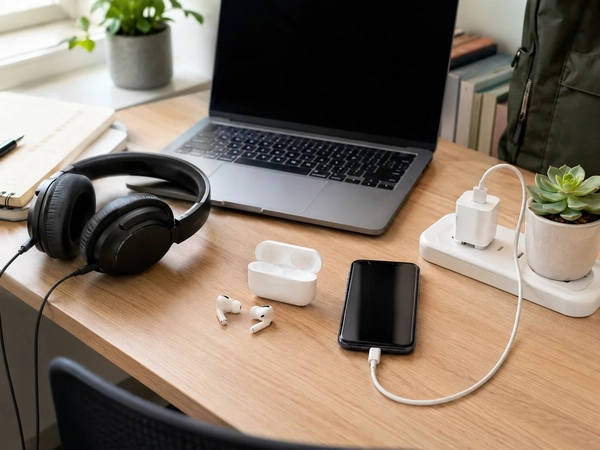
- Can the device be used through a cable when the battery is empty?
- Will the student remember to charge it?
A student who studies mostly at one desk may not need the longest wireless runtime. A commuter with long days away from outlets may benefit more from dependable battery life and a clear battery indicator than from less frequently used premium features.
Students building a broader portable setup can use Coupinify’s portable charging and smart-tech guide to separate core charging gear from optional accessories.
Portability, Durability, and Daily Carry
Earbuds usually take less space, but portability includes more than product dimensions.
Check:
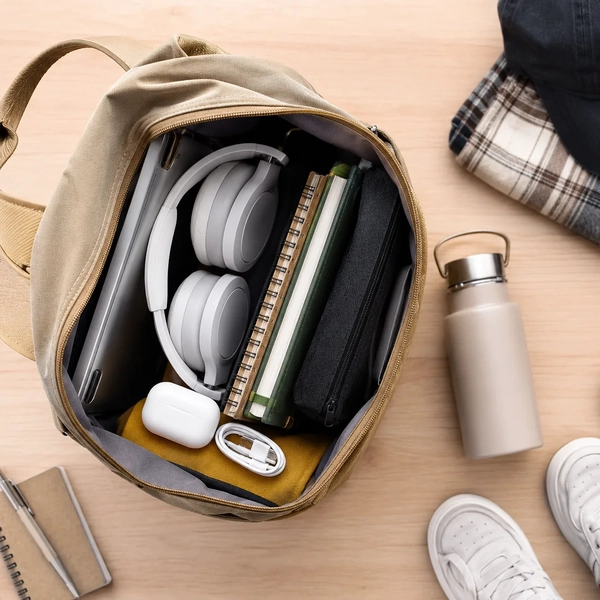
- Whether the case fits a pocket or small organizer
- Whether headphones fold or rotate flat
- Whether a protective case is included
- Whether the student has to carry an additional charging cable
- Whether ear tips, cables, or adapters are easy to replace
- Whether the product can handle the expected level of moisture or outdoor use
- Whether hinges, headbands, and charging-case lids feel suitable for daily transport
A small product is not automatically easier to own if it requires several loose accessories or is frequently misplaced.
For desk-based use, storage should be planned before buying. The Back-to-School Student Desk Setup guide explains how to preserve working space and avoid filling a small desk with equipment that has no assigned place.
What Should Students Choose by Situation?
Student who studies mainly at a desk
Start with headphones if they remain comfortable for long sessions and can be stored safely. A wired model can be enough when the desk is the primary location and the laptop has the correct port.
Add later: wireless convenience or noise cancellation after confirming a recurring need.
Skip: a second listening device with no separate use case.
Student who commutes every day
Start with earbuds if compact carry and frequent storage matter most. Headphones may still be preferable for long rides if the student has enough bag space and finds them more comfortable.
Add later: a backup wired option for important calls or travel.
Skip: oversized cases and accessories that make the setup harder to carry.
Student attending online or hybrid classes
Choose the device that passes a microphone and speaker test on the actual laptop and meeting platform. Connection reliability should come before premium sound features.
Add later: a dedicated desk microphone only when the existing setup repeatedly produces poor call quality.
Skip: assuming a gaming or music-focused model will automatically improve speech.
Student living with roommates
Headphones may be more comfortable for long private listening, while earbuds are easier to use briefly and store. Sound leakage, awareness, and agreed quiet hours matter more than format alone.
The Dorm Essentials checklist can help students separate personal items from purchases that should be coordinated with roommates.
Student with a small budget
Start with one dependable wired or wireless device that covers the main routine. Fit, microphone reliability, and compatibility are more important than collecting several specialized devices.
Add later: a second format only when it solves a separate recurring problem.
Skip: paying for several overlapping audio products before the semester begins.
Buy Now, Add Later, or Skip
Buy now
- One audio device that fits the primary routine
- The correct cable or adapter when using a wired connection
- Replacement ear tips only if the included sizes do not fit
- A protective case when the product will travel daily and none is included
- A tested microphone solution when online classes are confirmed
Add later
- A second audio format for a clearly different routine
- Noise cancellation after confirming that background noise is a recurring problem
- A dedicated desk headset for frequent calls
- Replacement pads or tips when the original parts wear out
- A backup wired device for interviews, exams, or important meetings
Usually skip
- Buying headphones and earbuds at the same time without separate use cases
- Paying extra for maximum battery life that the routine does not require
- Extra cables or adapters that duplicate items already owned
- Premium audio features when comfort or microphone reliability remains unresolved
- Large accessory bundles with parts that do not match the student’s devices
- A model that cannot be returned even though fit is uncertain
Student Audio Buying Checklist
Routine
- Identify the primary listening locations
- Estimate typical session length
- Decide whether commuting or desk use matters more
- Confirm whether online classes require a microphone
Compatibility
- Check phone, laptop, and tablet support
- Confirm wired ports or required adapters
- Review Bluetooth and app requirements
- Verify whether expected features work on the student’s operating system
Fit and comfort
- Check headband adjustment or ear-tip sizes
- Consider glasses, piercings, heat, and pressure
- Review the return policy before buying
- Test the device for the expected session length when possible
Calls and classes
- Test the microphone in the actual meeting application
- Check mute controls
- Listen for keyboard, fan, and background noise
- Keep a wired backup when calls are important
Battery and charging
- Confirm realistic daily runtime
- Check the charging connector
- Determine whether a cable is included
- Review whether the device works when the battery is empty
Carry and durability
- Measure available bag or desk storage
- Check whether a case is included
- Review replacement-part availability
- Consider how easily small pieces can be lost
Safe listening
- Use volume warnings and sound-exposure tools
- Keep volume moderate
- Take quiet breaks during long sessions
- Avoid relying on higher volume to overpower noisy surroundings
Frequently Asked Questions
Are headphones always better for studying?
No. Headphones can be comfortable for long desk sessions, but some students find them heavy, warm, or difficult to carry. Earbuds may be more practical when studying happens in several locations throughout the day.
Are earbuds better for commuting?
They are often easier to carry and store, but fit, environmental awareness, battery life, and the risk of losing small components should be considered. Headphones may be preferable for longer commutes when bag space is available.
Which is better for online classes?
The better device is the one with a reliable microphone, stable connection, comfortable fit, and working controls on the student’s actual laptop and meeting platform. Test the setup before an important class or interview.
Do students need active noise cancellation?
Not always. It may help when steady background noise is a recurring problem, but fit, passive isolation, safe volume habits, and awareness of the environment remain important. It should be treated as a conditional feature rather than a basic requirement.
Is wired or wireless audio better for school?
Wired audio is simple and does not require a separate battery, provided the device has the correct port. Wireless audio reduces cable clutter and is easier while moving. Some students benefit from wireless as the primary option and a low-cost wired backup.
Should a student buy both headphones and earbuds?
Only when each format solves a different recurring problem. For example, headphones may stay at the desk for long study sessions while earbuds are carried for commuting. Buying both before identifying those routines can create unnecessary cost and clutter.
Final Takeaway
Headphones and earbuds are not competing answers to the same student routine. They are different formats with different strengths.
Headphones often make sense for longer, stationary listening when the fit is comfortable and storage is available. Earbuds often make sense for students who move frequently, carry a small bag, and need audio that can be stored quickly between classes. For online learning, the microphone and connection should be tested rather than judged from product type alone.
Start with the student’s main listening situation, confirm compatibility, test comfort, and choose one dependable device. Add another format only when the first one cannot solve a recurring part of campus, commute, or study life.
For broader seasonal planning, visit Coupinify’s Back-to-School deals and student savings page